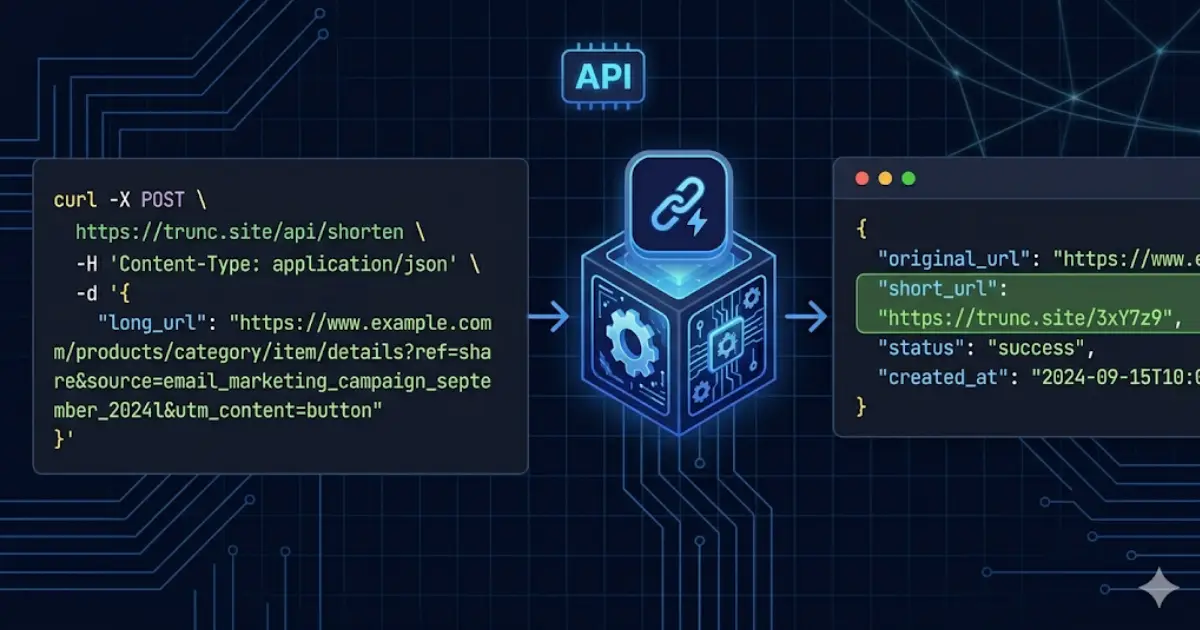
A URL shortener API lets you create, manage, and retrieve analytics for short links programmatically — from within your application, CI/CD pipeline, or automation scripts. Instead of manually shortening links in a browser, you send an HTTP request to the API and get a short link back in under 100ms. This is essential for applications that generate links dynamically, marketing teams that build links in bulk, or developers who embed link shortening into their own products.
What Can You Do with a URL Shortener API?
- Shorten URLs programmatically from any language or platform.
- Retrieve click analytics for any link via API.
- Create links in bulk using a simple loop or batch endpoint.
- Update the destination URL of an existing short link without changing the short code.
- Set link expiration dates, password protection, and custom short codes via API.
- Generate QR codes for any link programmatically.
- Integrate link shortening into your CMS, email platform, or marketing automation tool.
Trunc API: Quick Start
The Trunc API uses standard REST conventions with JSON request and response bodies. Authentication is via API key passed in the Authorization header. Your API key is available in the Trunc dashboard under Settings > API Keys. The base URL for all requests is https://trunc.site/api/v1.
Shorten a URL with cURL
The simplest way to test the API is with cURL. Replace YOUR_API_KEY with your actual key from the dashboard:
curl -X POST https://trunc.site/api/v1/shorten -H "Authorization: Bearer YOUR_API_KEY" -H "Content-Type: application/json" -d '{"url": "https://example.com/long/path?utm_source=api"}'
The API returns a JSON object containing the short URL, short code, and the original URL:
{ "short_url": "https://trunc.site/abc123", "short_code": "abc123", "original_url": "https://example.com/long/path?utm_source=api", "created_at": "2026-04-09T10:00:00Z" }
Shorten a URL with JavaScript (Node.js / Browser)
Using the Fetch API, you can shorten links from any JavaScript environment — Node.js, browser, or edge functions:
const response = await fetch("https://trunc.site/api/v1/shorten", { method: "POST", headers: { "Authorization": "Bearer YOUR_API_KEY", "Content-Type": "application/json" }, body: JSON.stringify({ url: "https://example.com/long-path" }) }); const { short_url } = await response.json();
Shorten a URL with Python
import requests; response = requests.post("https://trunc.site/api/v1/shorten", headers={"Authorization": "Bearer YOUR_API_KEY"}, json={"url": "https://example.com/long-path"}); print(response.json()["short_url"])
Retrieve Click Analytics via API
To fetch analytics for any short link you own, send a GET request to the analytics endpoint with the short code. The response includes total clicks, unique clicks, click-by-country breakdown, device types, referrer sources, and a time-series chart of clicks over time.
curl https://trunc.site/api/v1/analytics/abc123 -H "Authorization: Bearer YOUR_API_KEY"
Create a Short Link with a Custom Code
To specify your own short code (e.g. trunc.site/spring-sale), include a custom_code field in the request body. Custom codes must be unique and between 3 and 50 characters. This is especially useful for marketing campaigns where you want memorable, branded URLs.
URL Shortener API Rate Limits
The Trunc API applies rate limits per API key to ensure fair use. Free plan keys allow 100 requests per minute. Premium keys allow 1,000 requests per minute. Enterprise keys have custom limits. Rate limit headers are returned with every response: X-RateLimit-Limit, X-RateLimit-Remaining, and X-RateLimit-Reset.
API vs Manual URL Shortening: When to Use Each
- Use the API when you need to shorten links at scale, automatically, or as part of an application.
- Use the dashboard when you are creating individual links manually and want to configure options visually.
- Use the API for automation: if a link is created as part of an event (a new blog post, a campaign launch, a product release), automate it with the API.
- Use the bulk endpoint when creating many links at once — it is faster than looping over the single-link endpoint.
Get your free Trunc API key. No credit card required. 100 requests/minute on the free plan.
Get a Free API Key